
Quick Fix Tools
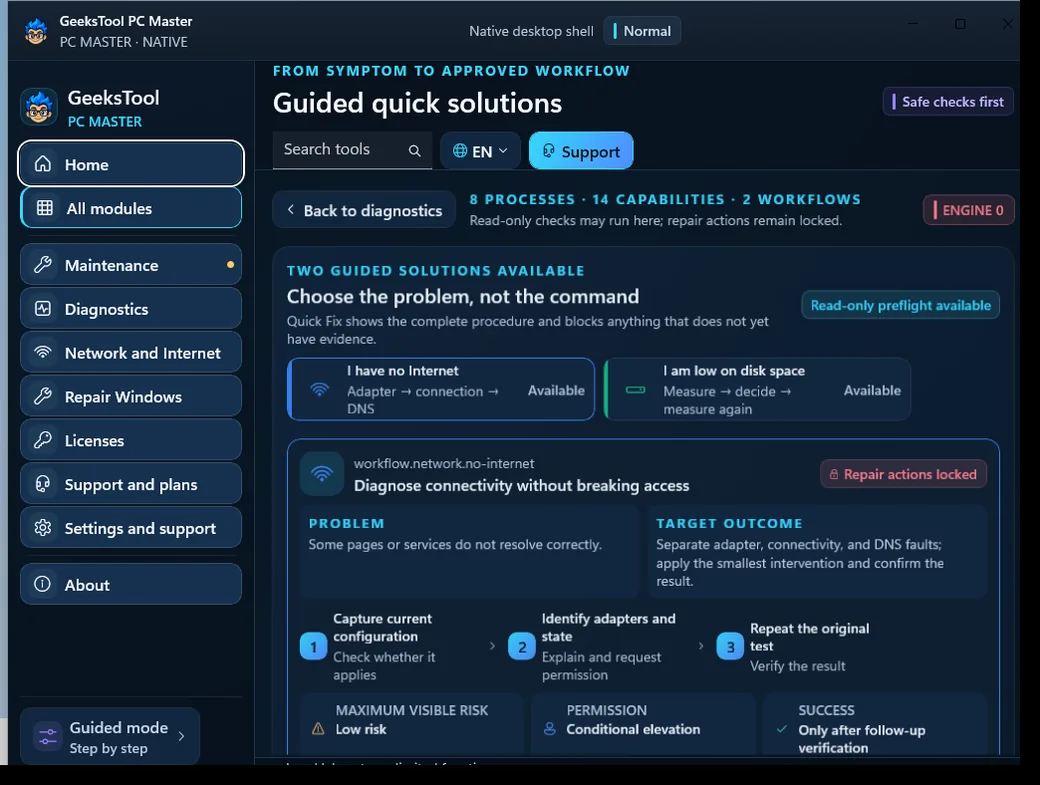
No internet, low disk space or a Windows 11 question: guided checks and the right fix.
Available at launchGeeksTool PC Master finds what is wrong, explains it in plain words and runs the fix only when you approve it. Made by Smart Geeks LLC for Windows 10 and 11.
How it works
Readings never change your PC. Repairs only run after you see what they will do.
Reads Windows the way a technician would: system, network, storage, security and licensing.
Shows what it found and what each fix will do, in plain words, before doing anything.
Runs Microsoft's own tools. Windows shows its permission prompt for every change.
Modules
The modules marked “Available at launch” already work in our lab; the rest are being finished.
No internet, low disk space or a Windows 11 question: guided checks and the right fix.
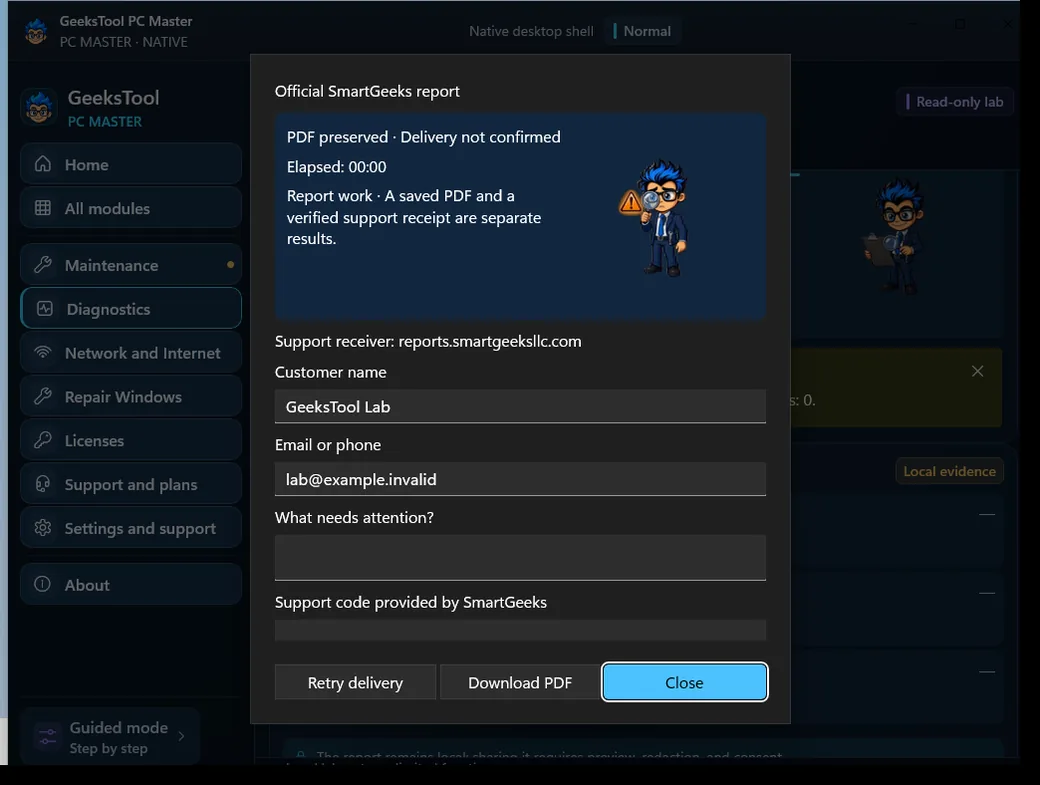
Available at launchA full health check of your PC and an official PDF report for support.
Available at launchMicrosoft's DISM and SFC repairs, with a check before and after.
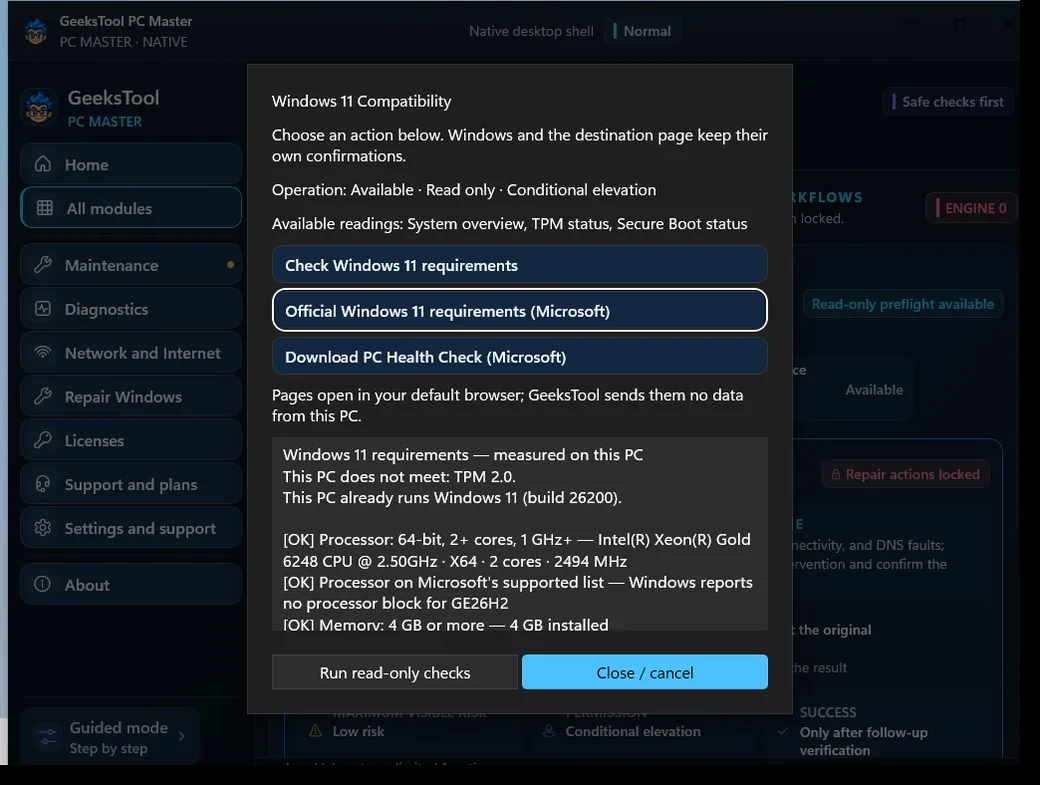
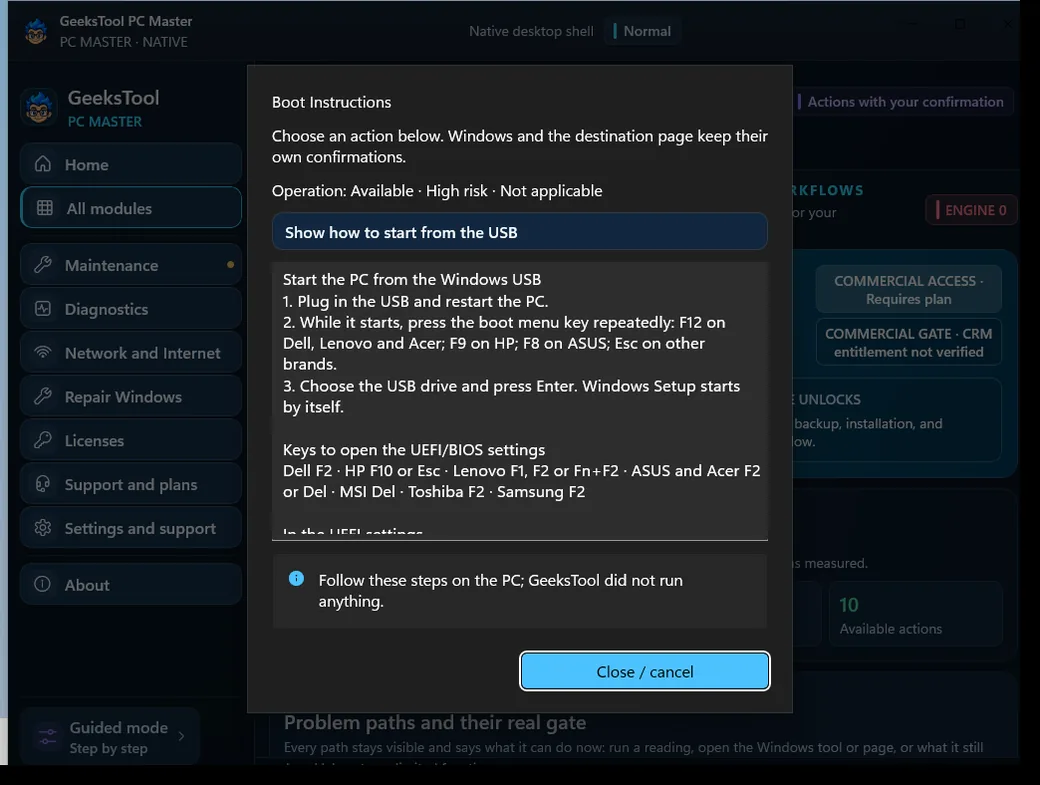
Available at launchWindows 11 requirements, verified installation media and Windows Setup.
Available at launchStep-by-step video guides for activation and installation.
Available at launchSee your Windows activation status and edition.
Available at launchTalk to a Smart Geeks technician.
Coming soonChat with our support team.
Coming soonA technician helps you remotely, only with your consent.
Coming soonSmart Geeks services when you need a hand.
Coming soonProducts and services for your PC.
Coming soonPay for a single service only when you need it.
Coming soonInside the app
Captured from GeeksTool PC Master running on Windows 11 in our lab.
Plans
Prices in US dollars. Joining the waitlist is free and has no commitment.
Learn and try it
Free
Diagnose and fix it yourself
$4.99 / month
We handle it with you
$9.99 / month
Billing starts when the app launches. Until then, the waitlist just reserves your place and keeps you informed.
Safety
Readings never change anything. A repair shows what it will do, and Windows asks for permission.
DISM, SFC, Disk Cleanup, Disk Management and Windows Setup — no hidden scripts.
GeeksTool never turns off Windows requirements such as TPM or Secure Boot.
Reports leave your PC only if you decide to send them to support.
FAQ
Be the first to know when GeeksTool PC Master opens. One email when it is ready — no spam.